POLYCARDS

Flashcards for people who need more than two sides

POLYCARDS is an app for creating and studying
Polycards (multi-sided flashcards)
that can contain three or more pieces of information on a single card.

No account registration required. Start for free instantly.

What is a Polycard?

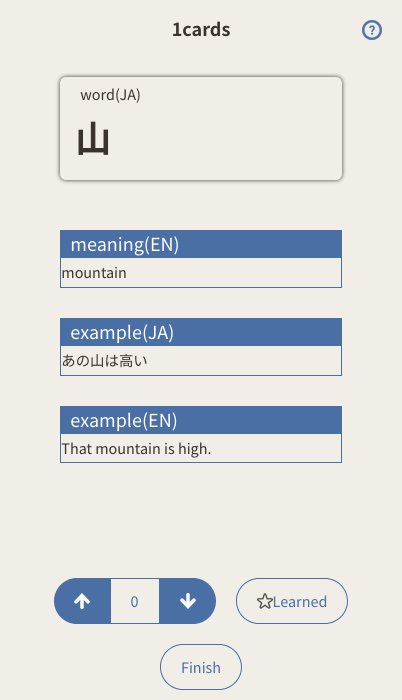
A Polycard is a flashcard that contains multiple pieces of information.

Traditional vocabulary cards usually consist of only two sides: front and back.

With Polycards, you can store multiple types of information on a single card.

Traditional Flashcards

With Polycards

By grouping related information into a single card, you can memorize knowledge as one connected unit.

Freely Customize Card Fields

With Polycards, you can customize the fields included in each card.

Add any information you need depending on your study purpose.

By designing card structures that match your learning style, you can study with greater flexibility.

Recommended For

Study by Changing the Front Side of the Card

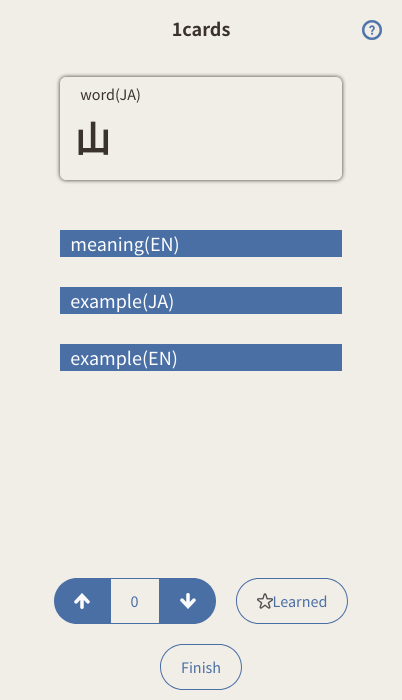
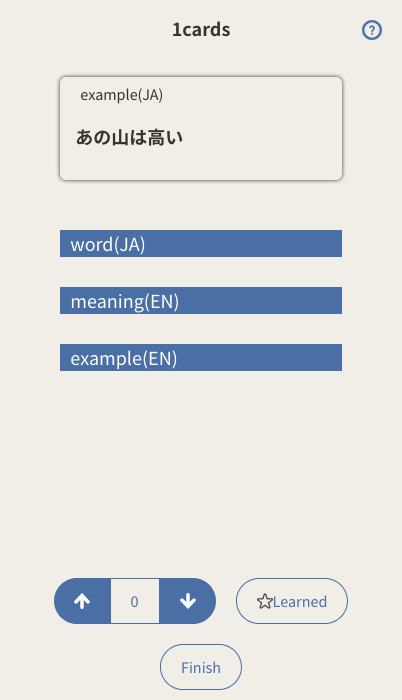
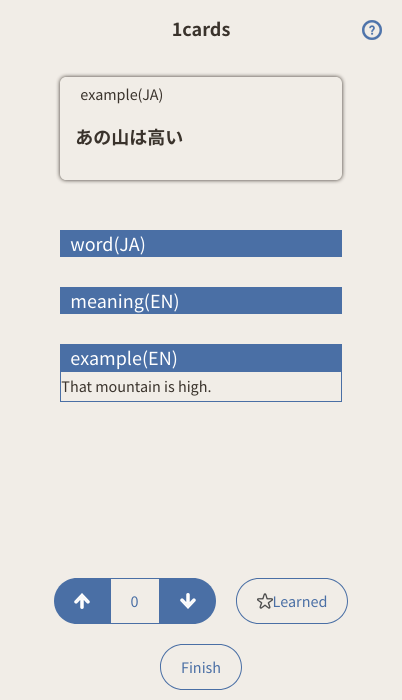
With Polycards, you can switch which field appears on the front side of the card during study.

Even with the same card, changing the front side enables different learning styles.

Examples for Language Learning

Since you can review knowledge from multiple directions using a single card, it helps deepen understanding and strengthen memory retention.

Simple Card Management

Vocabulary lists can be imported in bulk by uploading CSV files. You can easily import existing word lists or your own custom flashcards.

Registered Polycards can be edited anytime within the app. Add meanings, revise example sentences, update notes, and improve your cards while studying.

Main Features

Design Philosophy

Background of Development

Flashcards are often used for language learning and knowledge organization, but many existing flashcard apps felt limiting because they only supported front-and-back cards.

I wanted a simple tool where words, meanings, example sentences, notes, and related information could all be managed within a single card, which led to the creation of POLYCARDS.

A Simple Personal Learning Tool

POLYCARDS is designed as a personal learning tool. Rather than focusing on social sharing or SNS features, it prioritizes a simple and distraction-free learning experience.

Local Storage

Created Polycard data is primarily stored locally in your browser. No account registration is required, and you can start using it for free immediately.

Cloud Backup

Cloud backup is also available when needed. You can safely store your important card data.

Install (Add to Home Screen)

POLYCARDS can be used directly from your browser, but adding it to your smartphone's home screen allows you to use it like a native app.

Add to Home Screen on iPhone

  1. Open this page in Safari
  2. Open the menu and tap the Share Button
  3. Select "Add to Home Screen"
  4. Tap "Add" to create the icon on your home screen

Launching from the home screen enables a fullscreen app-like experience.

Add to Home Screen on Android/Windows

Add to Home Screen

Use in Browser

Start in Browser